
Burn Guide - dust
WebNative LLCEvents
4.948.00 Reviews
- Version
- 2.137
- Installs
- 10.00K
- Age Rating
- Teen
Screenshots
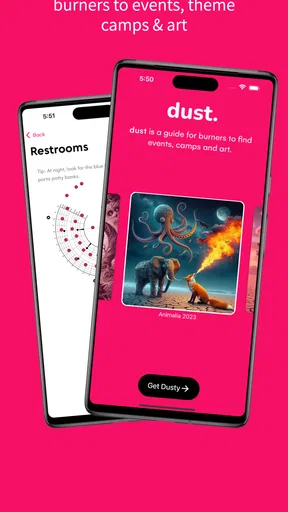
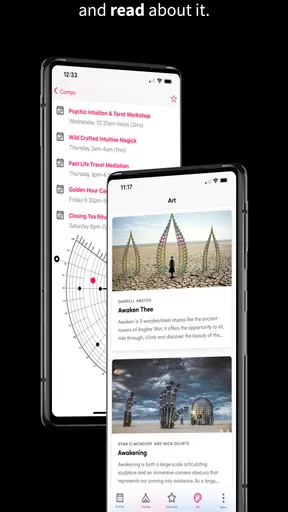
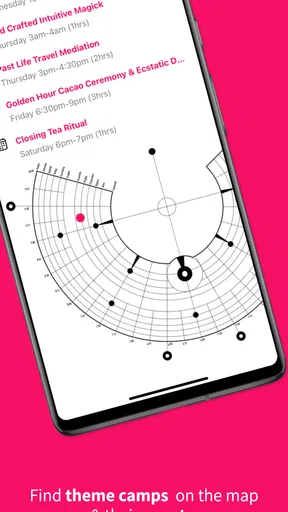
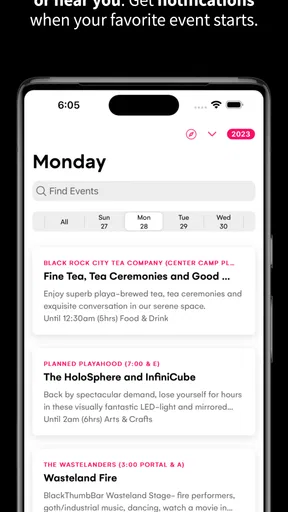
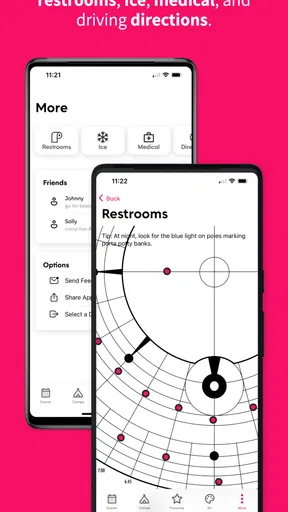
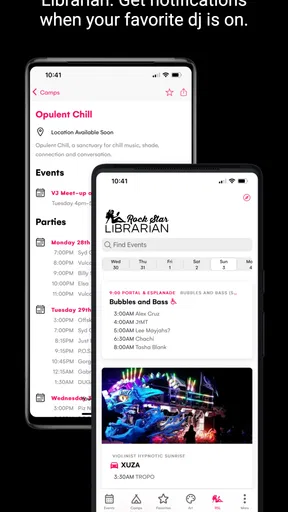
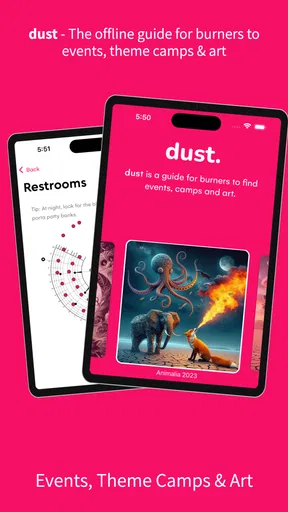
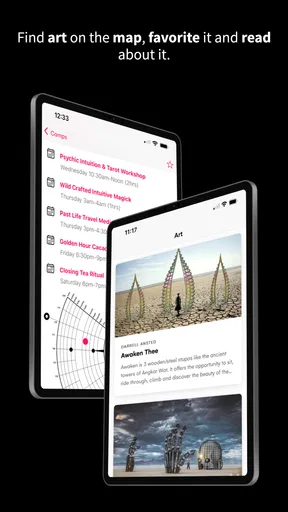
Our Review of Burn Guide - dust
 Analysis by Appyee
Preparing for Burning Man or a regional burn can feel like trying to organize a small city from a phone, especially when internet access may be unreliable. Burn Guide - dust is built for that particular problem: it is an offline, unofficial guide for Burning Man and regional burns, rather than a general event calendar or a social app. I found its value less in flashy presentation and more in having practical reference material available when a browser, signal, or search engine is no longer dependable.
That focus makes it an interesting choice for first-time burners. You do not install it because you want another feed to scroll through. You install it because you want a compact companion for preparation and for those moments at an event when you need to check something without relying on connectivity. It is free, aimed at a Teen audience, and developed by WebNative LLC. The current version is 2.137, and it runs on Android 8.0 or later.
What to expect before you arrive
The most important expectation to set is that this is an offline event guide, not a replacement for every official communication channel, map, ticketing system, or live community conversation. Its strength is having guide content close at hand. That sounds simple, but it changes how useful the app can be in a desert environment or at a regional event where mobile service is inconsistent.
I would think of dust as a reference layer in your wider preparation. Before leaving home, I would still read the official information for the specific event, confirm travel and entry details, and save anything time-sensitive that the event organizers require. Then I would use the app as a practical pocket guide rather than assuming it is the single source of truth for every changing detail.
That distinction matters for experienced burners too. A veteran may already know the culture and basic preparation, but an offline guide can still reduce the need to carry several notes, screenshots, and browser tabs. For someone attending a regional burn for the first time, the app is more approachable than trying to absorb a large amount of information from scattered web pages.
The store presence shows a strong response from its existing audience: the app has a 4.9 average from around 300 ratings, with roughly 50 written reviews and over 10 thousand installs. Those figures suggest that the concept is landing well with the people who find it useful, although I would not treat popularity as proof that it fits every event or every planning style.
One useful way to approach it is to decide what you want from it before opening it. If your goal is “help me understand the event and keep essential guidance available offline,” it makes sense. If your goal is “show me a constantly updated live schedule, locate every friend, and replace all event logistics,” you may prefer official event tools, saved documents, or communication apps alongside it.
Why offline access changes the workflow
With an ordinary website, I tend to search only when a question appears. That habit is risky at a burn. The question may arrive when the phone has no usable connection, when the battery is being conserved, or when the surrounding environment makes browsing awkward. An offline guide encourages a better workflow: explore before departure, identify the sections you are likely to need, and treat the phone as a prepared reference rather than an emergency search box.
That is one of the less obvious strengths of dust. Its usefulness is partly created by what you do before the event. A person who installs it at the gate and expects instant orientation may get less from it than someone who spends a few minutes browsing at home. I recommend opening each major area of the guide while you still have time and making a mental note of where the information lives.
There is also a trade-off. Offline content is convenient because it does not depend on a connection, but it cannot behave like a live web page. Information that changes close to departure or during an event should be checked through the relevant official channels when possible. I would use dust for durable guidance and preparation, while treating last-minute announcements as a separate responsibility.
Getting set up without overthinking it
Installation is straightforward for compatible Android phones because the minimum requirement is Android 8.0. After installing, I would avoid waiting until the trip itself to learn the layout. Open the app somewhere comfortable, browse through the guide, and notice which topics feel most relevant to your plans. This first session is not about memorizing everything; it is about reducing the number of decisions you will have to make later.
A practical first setup is to create a small personal checklist outside the app based on what you discover. For example, if a section reminds you about an item, a preparation task, or a question for your camp, write that down immediately. The guide can provide context, but your own checklist turns that context into action. This is especially useful for first-time attendees, who can otherwise read a lot and still forget the one thing they intended to prepare.
I would also make the app part of a simple battery plan. Offline access means you are not constantly using mobile data to look up information, but the phone itself still needs power. Before leaving, charge the device and decide whether you will rely on it throughout the event or use it only for occasional reference. If you are carrying paper notes or another backup, keep the most important practical details there as well.
Another sensible step is to separate “learning” from “checking.” At home, read enough of the guide to understand the event’s expectations and vocabulary. At the event, use it for short checks rather than long reading sessions. This keeps the app useful without turning your phone into the center of an experience that is supposed to be highly physical and social.
Your first meaningful success
The first successful action is not merely launching the app. It is answering a real preparation question without opening a browser. Pick one question that matters to you, such as what you need to think about before arriving, how to approach participation, or what kind of practical responsibility comes with attending a burn. Find the relevant guidance, then turn the answer into one concrete task.
For me, that is the point where the app proves its worth. Reading a guide can feel passive, but using one answer to prepare a bag, clarify a camp conversation, or plan a safer arrival makes the information stick. A first-time user should aim for this small win rather than trying to consume the entire guide in one sitting.
A second useful test is to open the same material after switching away from connectivity, if your phone setup allows you to do that safely. The purpose is not to perform a technical experiment for its own sake. It is to build confidence that the guide will be available in the kind of environment where you expect to need it. Discovering your preferred sections before departure is much less stressful than searching for them after arrival.
For a group, I would use the app as a conversation starter rather than assuming everyone should read it alone. One person can identify a topic, then the group can discuss how it affects their camp or travel plan. This is a concrete use case that a generic app description would not reveal: the guide becomes a shared preparation checklist when you use it to turn general advice into assigned responsibilities.
Where first-time users may get confused
The word “offline” can create an unrealistic expectation that every part of the experience will be live, automatic, and complete without any preparation. I would interpret it more carefully. Offline access is the reason to install the app, but it does not remove the need to understand which information is stable and which information may change. If you need a current announcement, a last-minute instruction, or direct contact with another person, the guide alone may not be enough.
Another possible confusion is treating an unofficial guide as an official authority. The app’s unofficial nature is not automatically a weakness; independent guides can be easier to use and more focused. Still, I would compare important logistical details with the official information for the particular burn. This is especially important when your decision affects travel, entry, safety, or a time-sensitive obligation.
Some users may also expect a conventional event app with a prominent schedule, social profiles, or constant notifications. That is not the mindset I would bring here. dust is better understood as a prepared reference tool. If your preferred way to attend events is to follow a live timetable and receive updates throughout the day, combine it with the event’s own channels or choose a tool designed specifically for live coordination.
There is a human limitation too: an offline guide can make you feel prepared while leaving practical gaps in your personal plan. Reading about an event does not pack water, confirm transportation, settle camp responsibilities, or protect your battery. I found the app most useful when I treated each relevant section as a prompt to do something, not as a substitute for doing it.
Who will get the most from it
dust is a strong fit for a first-time burner who wants a single, accessible place to begin learning. It is also useful for someone attending a regional burn and trying to understand the broader culture before arriving. People who dislike depending on mobile service will appreciate the offline approach, particularly if they prefer to prepare quietly rather than search through multiple websites.
It can also help returning attendees who want a lightweight refresher. You may not need every explanation, but having a guide available can be convenient when introducing a friend, checking your assumptions, or preparing for a different regional event. The fact that it is free removes a common barrier to trying it before deciding whether it belongs in your travel routine.
I would skip it, or at least treat it as secondary, if your only requirement is real-time coordination. It is not the right single tool for someone who needs constant updates, active messaging, or a complete replacement for event-specific logistics. It is also not ideal for a reader who will never open it before departure; offline tools reward preparation, and their value is easy to miss if you wait until the last minute.
How it compares with the usual alternatives
The usual alternative is a mobile browser and a collection of official web pages. That approach can provide fresher information, but it depends more heavily on connectivity and makes it easy to lose track of where a particular answer was found. dust is less flexible than the open web, yet more focused when you need a guide rather than a broad search.
Another alternative is saving screenshots or downloading documents. Those methods can work, especially for a few specific instructions, but they become awkward when information is spread across many pages. Screenshots are difficult to search and easy to forget. A dedicated guide offers a more coherent reading experience, while saved official documents remain valuable for details that need to be current.
Printed notes are still useful for the most important information because paper does not run out of battery. However, paper takes time to prepare and can become outdated. I see dust and paper as complementary: use the app for exploration and reference, then write down or print the small set of details you absolutely want available if your phone is unavailable.
Official event channels are the better choice for authoritative, changing instructions. The app is the better choice when you want an offline starting point that helps you understand the event and organize your preparation. Using both is not redundant; they solve different problems.
My recommendation after using it as a preparation tool
What I like most about dust is its clear purpose. It does not need to compete with every social or event-planning app because it addresses a specific weakness of phone-based event preparation: the assumption that a connection will always be there. For a burn, that assumption is easy to regret. Having guidance ready in advance is a small convenience that can become genuinely useful when conditions are less predictable.
My recommended path for a new user is simple. Install it before your trip, browse the guide slowly, choose one answer that affects your preparation, and turn that answer into a concrete task. Then compare any important logistical point with the official information for your event. Finally, keep the app available for offline reference, but do not make it your only plan for live updates or communication.
The app is free, and its 4.9 average indicates that many users find the focused approach worthwhile. Its Teen content rating also gives a reasonable indication that the subject matter is intended for an older audience rather than young children. Those details do not replace personal judgment, but they make the decision to try it fairly easy for the people it targets.
In my view, the best reason to recommend dust to a friend is not that it promises to manage the entire burn. It does something more modest and more practical: it helps you arrive with useful guidance already in your pocket. Use it as a prepared offline companion, not as your only source of live information, and it can make the first steps into Burning Man or a regional burn feel much less scattered.
Verdict
Strengths of Burn Guide - dust
- Clear burn-intensity guidance for quick decisions
- Useful reference for outdoor trips and emergencies
- Simple layout makes information easy to scan
- Helpful for comparing burn severity levels
- Can support safer first-aid choices before medical help arrives
Limitations of Burn Guide - dust
- Not a substitute for professional medical advice
- Limited value if the injury type is unclear
- May not cover every burn scenario or complication
- Users still need access to proper first-aid supplies
- Incorrect self-assessment could delay urgent treatment
Similar Picks in This Category
View All
Easy Quran Mp3 Audio Offline
Muslim Worldapp4.7

Invitation Maker: Cards & RSVP
Greetings Island4.9

StubHub - Live Event Tickets
StubHub4.3

Fever: Events & Tickets
Fever Labs4.7

Epic Freebie Games Radar
Arioch Pds - Apps & Games4.4

Invitation card Maker, Design
Splendid App Maker4.9
Frequently Asked Questions
What is Burn Guide - dust, and what is it used for?
Burn Guide - dust appears to be a specialized reference or utility app related to the game Dust, designed to help players understand mechanics, plan actions, or access useful in-game information. Before downloading, keep in mind that its usefulness depends on the version of Dust you play and how frequently the app’s information is updated. It should be treated as a companion guide rather than an official replacement for the game itself.
Is Burn Guide - dust suitable for beginners?
Yes, the app can be useful for beginners because a guide can make unfamiliar systems, terminology, objectives, and recommended strategies easier to understand. However, new players may still need some time to learn how the information is organized. The most value comes from using the guide while playing, rather than reading everything at once. Experienced players may also appreciate it for quick references and planning.
Does Burn Guide - dust require an internet connection?
Whether an internet connection is required may depend on how the app stores its guides and supporting content. Basic information may be available after installation, while updates, external links, advertisements, or newly added material could require mobile data or Wi-Fi. If you plan to use it while traveling or gaming without reliable internet, open the main sections first and check which features remain accessible offline.
Is Burn Guide - dust free to download and use?
Burn Guide - dust may be available as a free download, but users should review the store listing carefully for advertisements, optional purchases, subscriptions, or limitations on certain content. Free access does not always mean that every feature is unrestricted. It is also worth checking the developer’s notes, permissions, privacy information, and recent user reviews before installing, especially if the app requests access beyond what a guide normally needs.
Is Burn Guide - dust an official app, and is it safe to install?
You should verify whether Burn Guide - dust is published by the creators of Dust or by an independent developer before downloading it. Companion guides can be helpful, but unofficial apps may not have direct access to the game’s systems and may become outdated after updates. Install it only from a trusted Android or iOS store, check the publisher name and permissions, and avoid unofficial download files from unknown websites.
